Bike Service App
A bike service app that you can book your two wheeler services on your convenience time at your home.


About Project
Challenges:
A bike service app that you can book your two wheeler services on your convenience time at your home.
Solution:
Our app allows you to book quality bike service with your own convenience time at your home.
Design Process
I followed the design thinking process with a user-centered design approach. Design thinking is a non-liner, iterative process that included 5 phases: Empathize, Define, Ideation, Prototype and Design. It is the most appropriate choice when problems are ill-defined or unknown.
Competitor Analysis
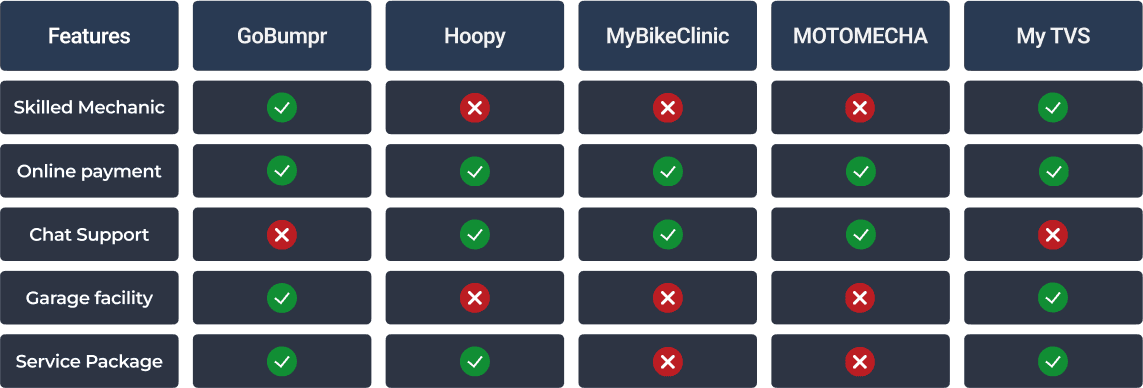
Competitive analysis is a strategic management which is used to assess strength and weakness of current and potential competitors.
User Persona
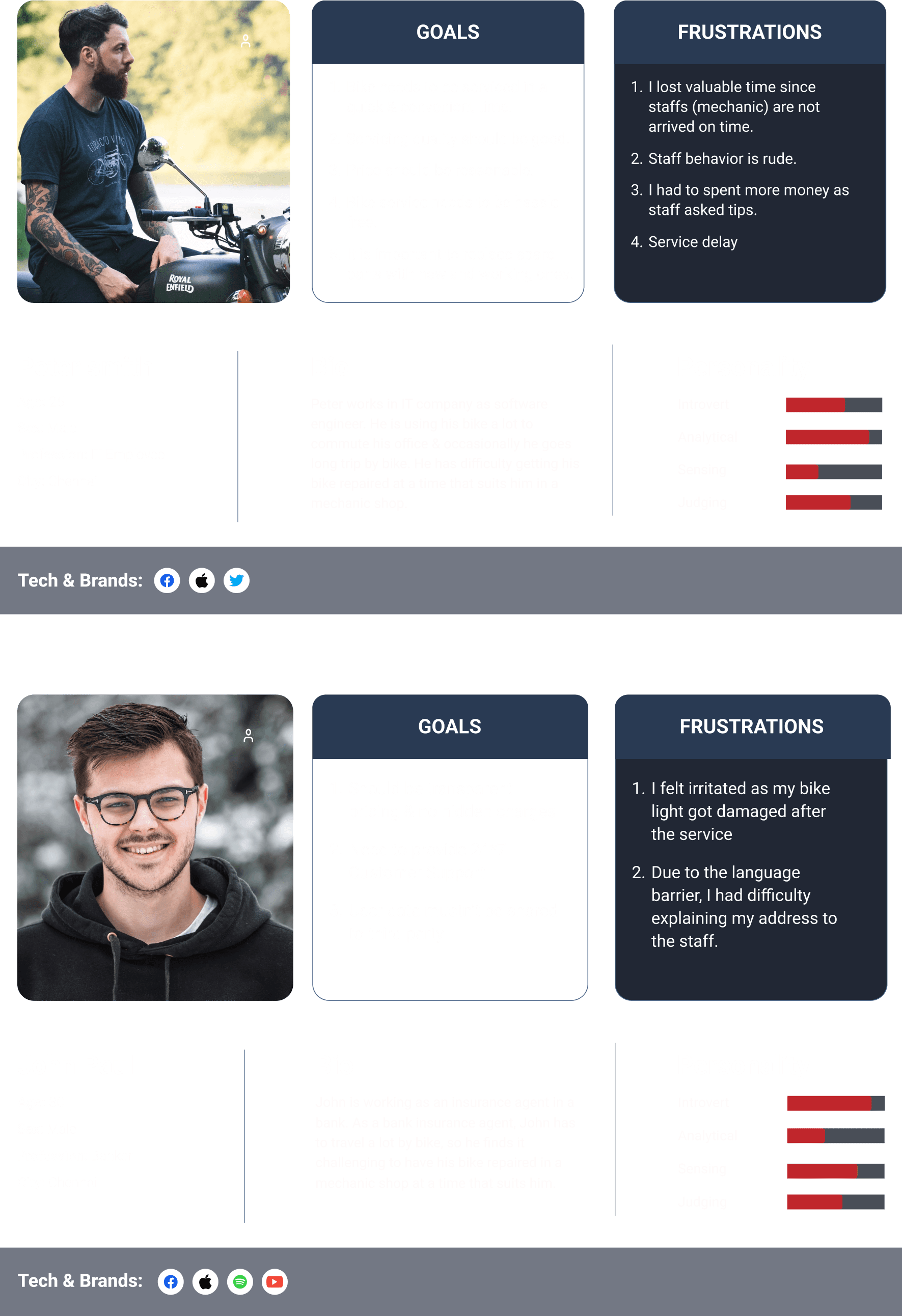
Based on the research and answers that I got from user interviews I started off by creating user personas so that I get a clear view of my targeted users behaviour pattern, needs, goals etc.
Empathy Mapping
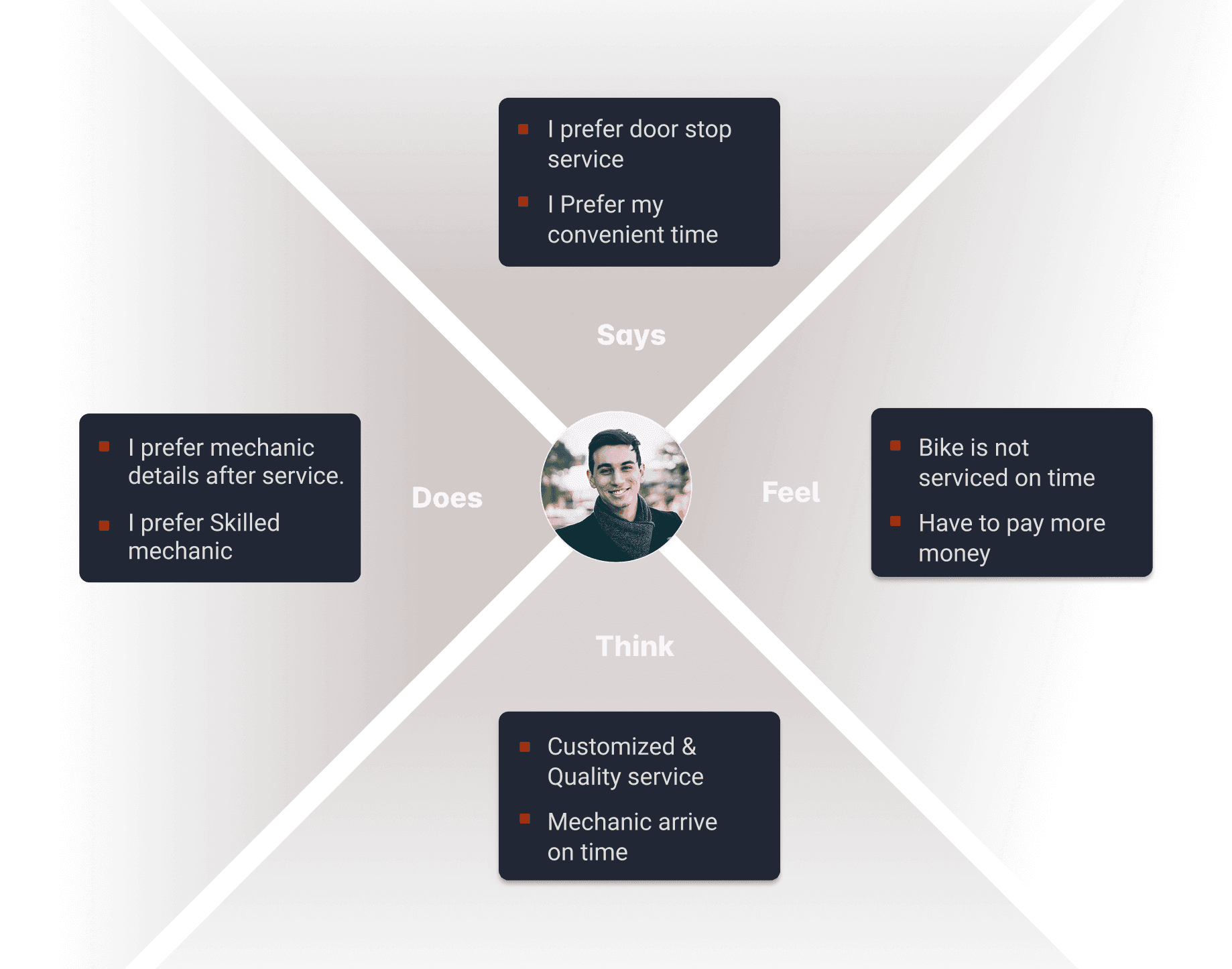
To empathize with user, I created empathy map for better connectivity and understanding of the user. It aids in deep and better insights of the user and here I have mapped the responses of persons what do the Say, Does, Think & Feel.
User Journey Map
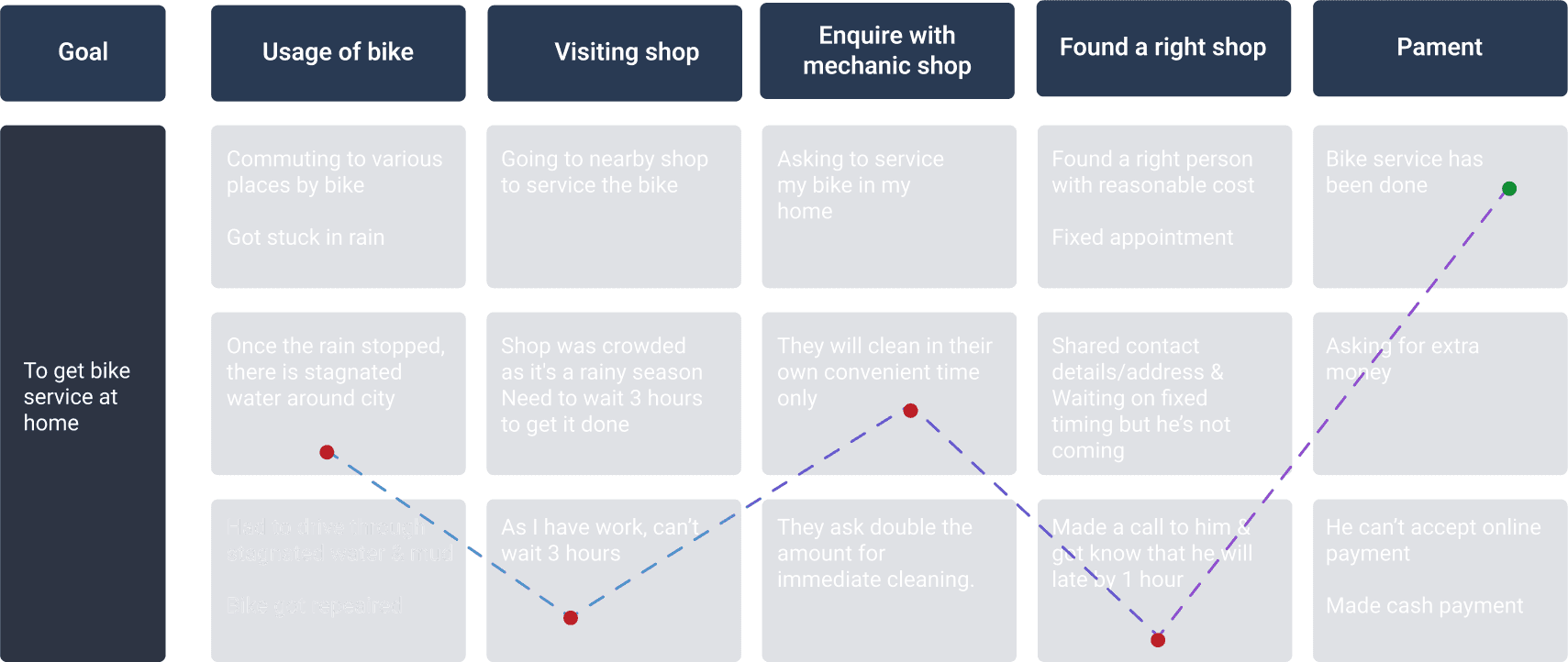
Based on the user research I have created user journey map is better to understand the crucial pain points, challenges, mindset and overall journey which user may encounter while booking bike services.
User Flow
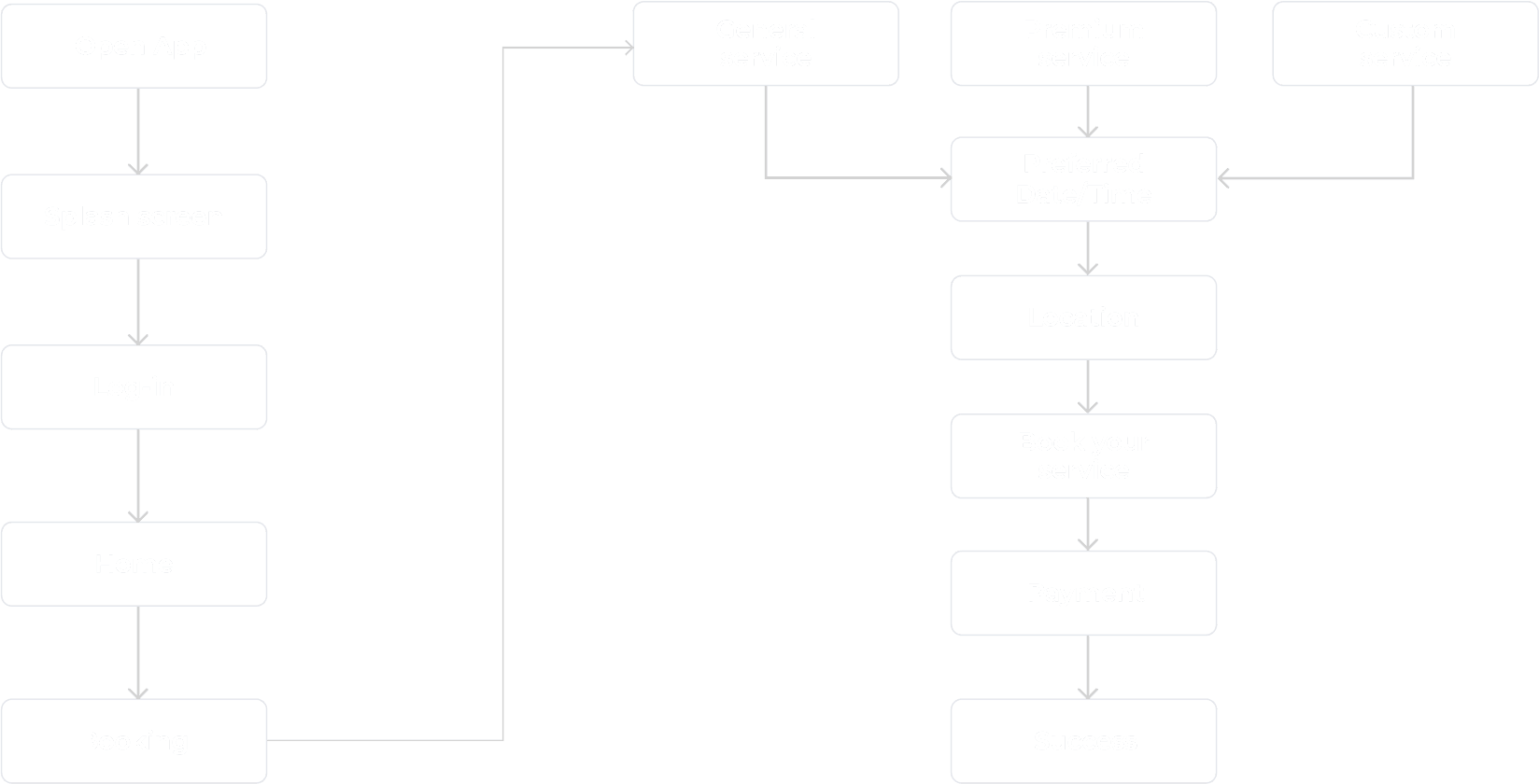
A user flow is a visual representation for the user to map out each and every step the user takes from the entry point right through the final point. User flow is helpful for we to understand how a user navigate through the app and what decisions can they possibly make and complete app experience at holistic level.
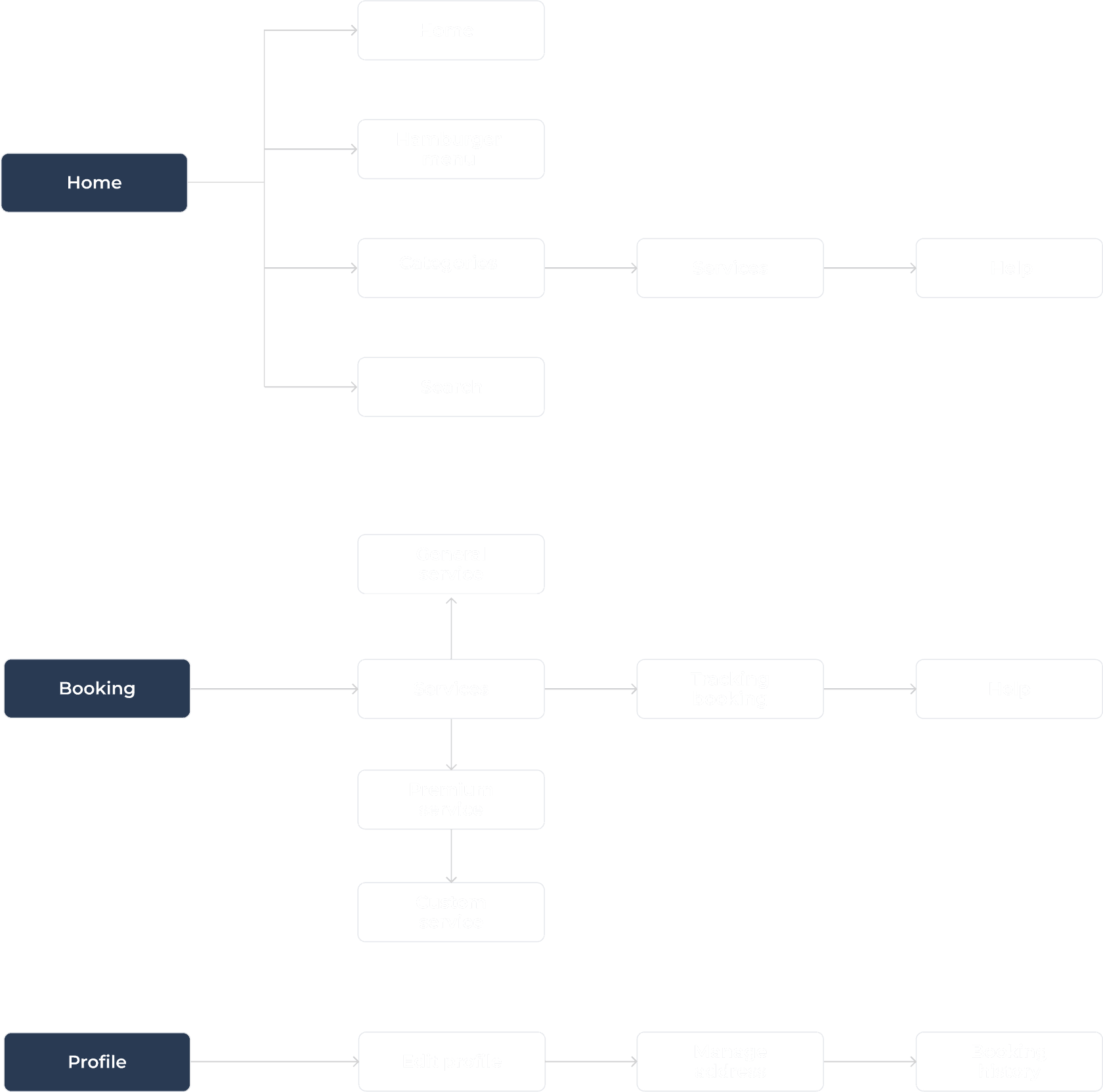
Information Architecture
A information architecture is a visual representation for the user so that user can get to know about features and functionality of the product and they could find anything easily.
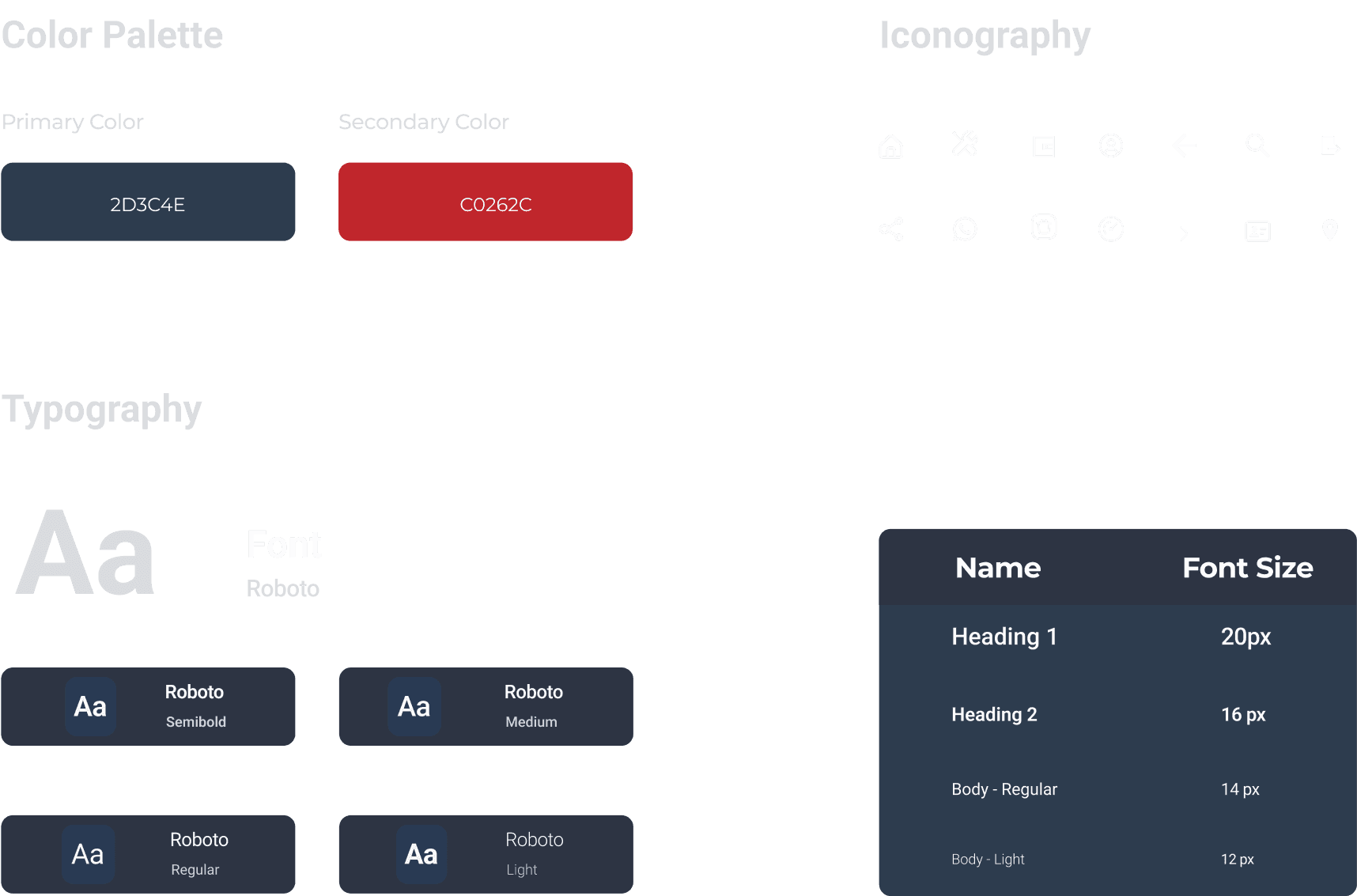
Design System
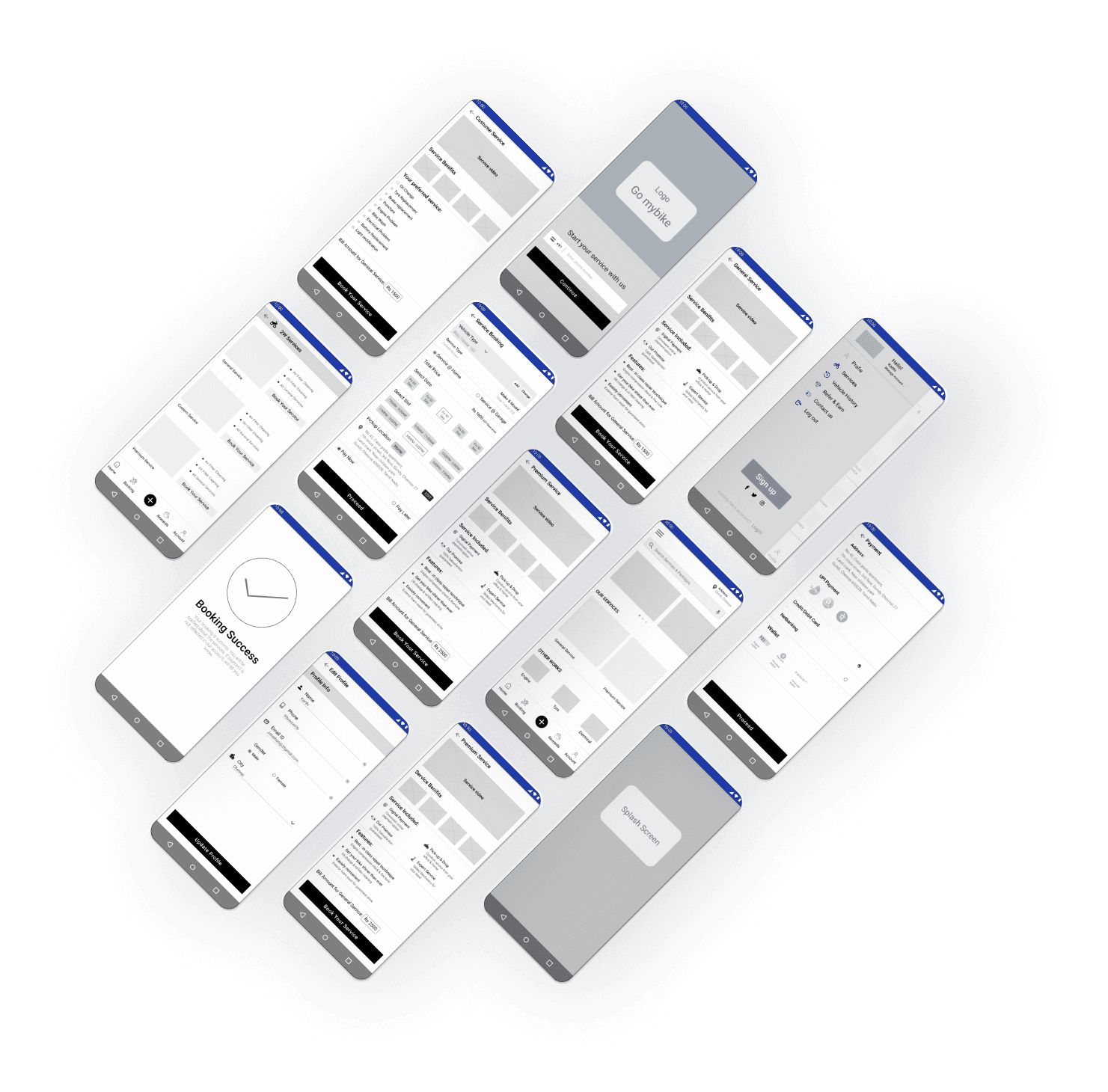
Mid-Fidelity Prototype
High-Fidelity screens
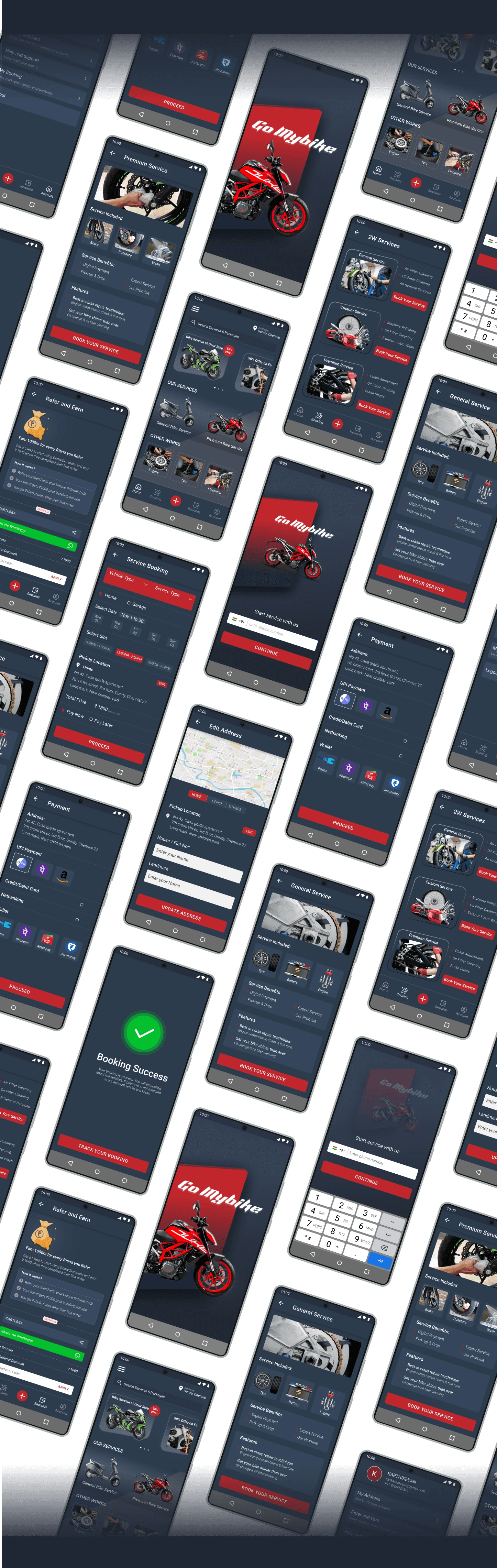
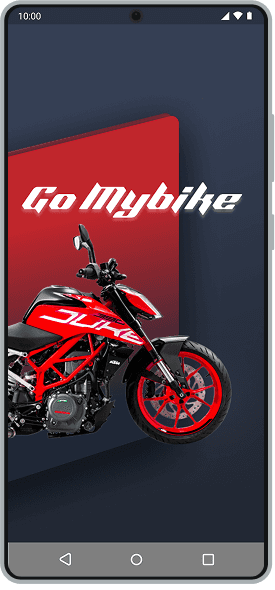
Splash & Login screen
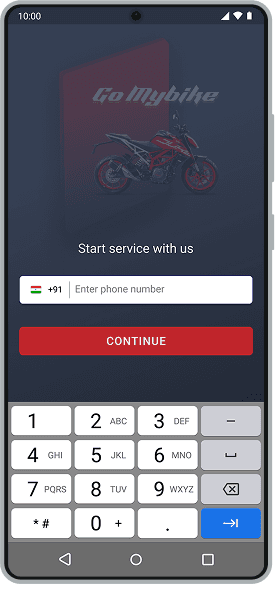
The first screen that you see when you open the app & you can login with your mobile number.
Home screen
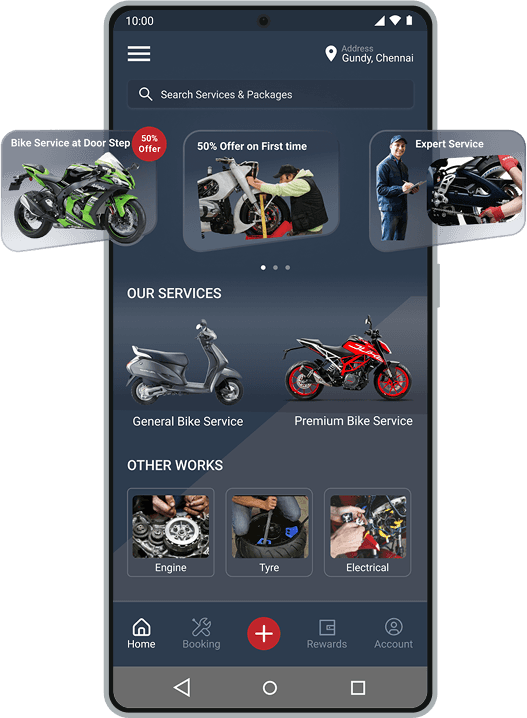
The main screen you see after login. It contains the different category of services along with the offers advertisement.
Service screen
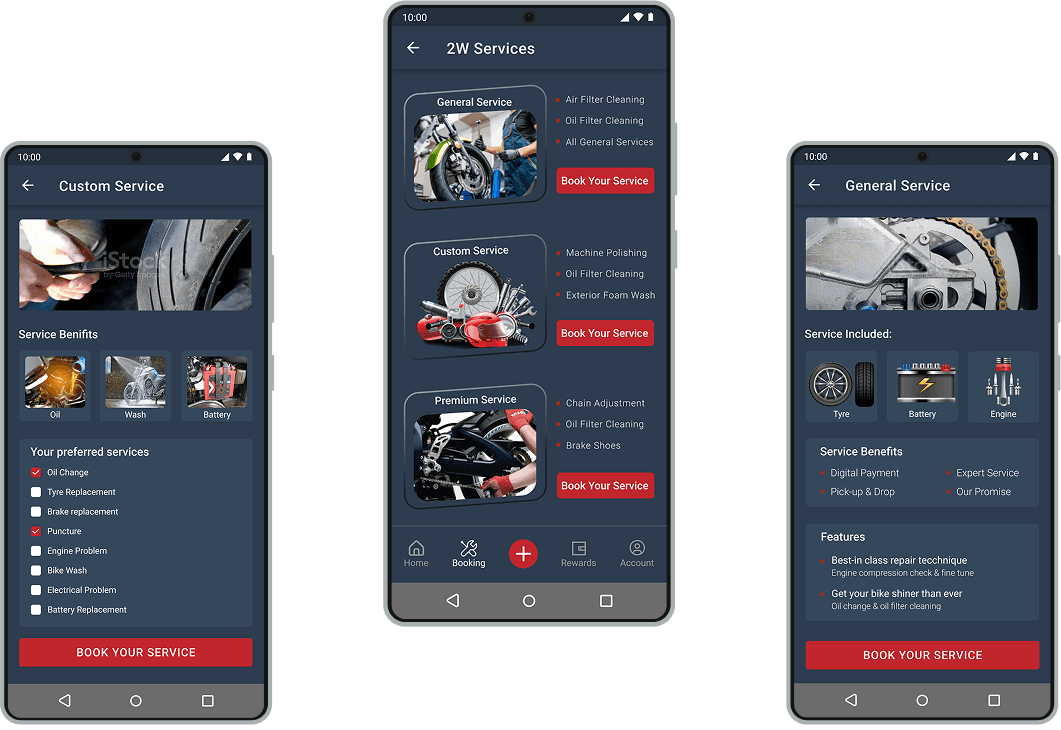
This screen has detailed information about the service category, selected service and scheduled date, time & location for the service.
Profile screen
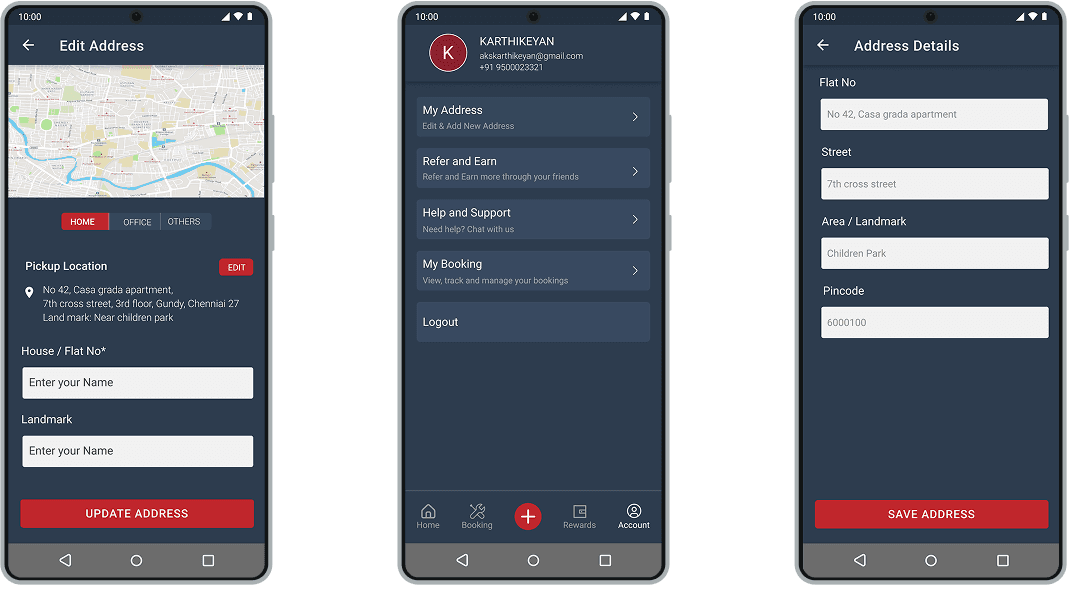
The user can view the profile in this screen and edit the profile as well. There are various other options like manage address, my booking etc... & option for logout.
Payment screen
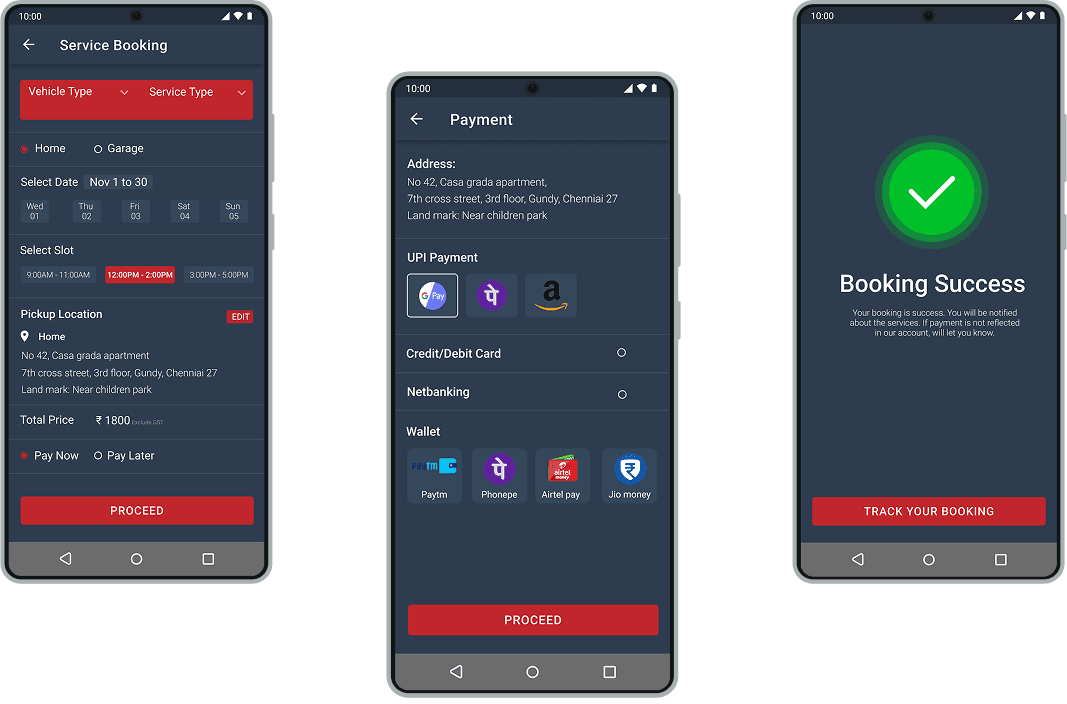
The Payment can be managed in the below payment screen, which is included UPI wallet, debit and credit card & internet banking payment mode.
Other screens
The Payment can be managed in the below payment screen, which is included UPI wallet, debit and credit card & internet banking payment mode.